Hourly windows
Replace broad daily screen time caps with short recurring app limits that make attention easier to regain throughout the day.
 Attentively
Hourly app limits
Reclaim your attention.
Set short hourly screen time limits for distracting apps on iPhone so a quick check-in does not become a lost hour.
Built for self-control
Attentively is an iPhone focus app for hourly app limits. Choose a distracting app, set a small minute budget, and let iOS Screen Time pause that app until the next hour resets.
Replace broad daily screen time caps with short recurring app limits that make attention easier to regain throughout the day.
Rules stay local to your iPhone. Attentively does not require an account, backend, analytics, ads, or tracking.
Attentively uses Apple's Screen Time APIs for app selection, local monitoring, and app shielding.
Keep social, short-video, shopping, or other distracting apps available in small windows instead of leaving them open-ended.
A used allowance locks the selected app until the next hourly reset, making it easier to return to work, study, rest, or real life.
Start with a few minutes, pause a rule when needed, or change the allowance as your focus habits improve.
Why hourly limits
A daily screen time cap can still disappear in one long scroll session. Attentively breaks distracting app access into smaller hourly allowances, so you get a clear stopping point and another chance to reset your attention soon after.
Use it when you want less scrolling without blocking an app for the whole day. A short allowance can be enough for a message, a quick check-in, or a planned break while still keeping social media, short-video apps, shopping apps, and news feeds from taking over an afternoon.
Set a small hourly budget for apps that start with one notification and turn into repeated scrolling.
Keep distracting apps available for short breaks, then let the lock screen bring you back to the task you meant to finish.
Reduce late-night app loops with recurring limits that make it easier to put the phone down after a quick check.
Simple setup
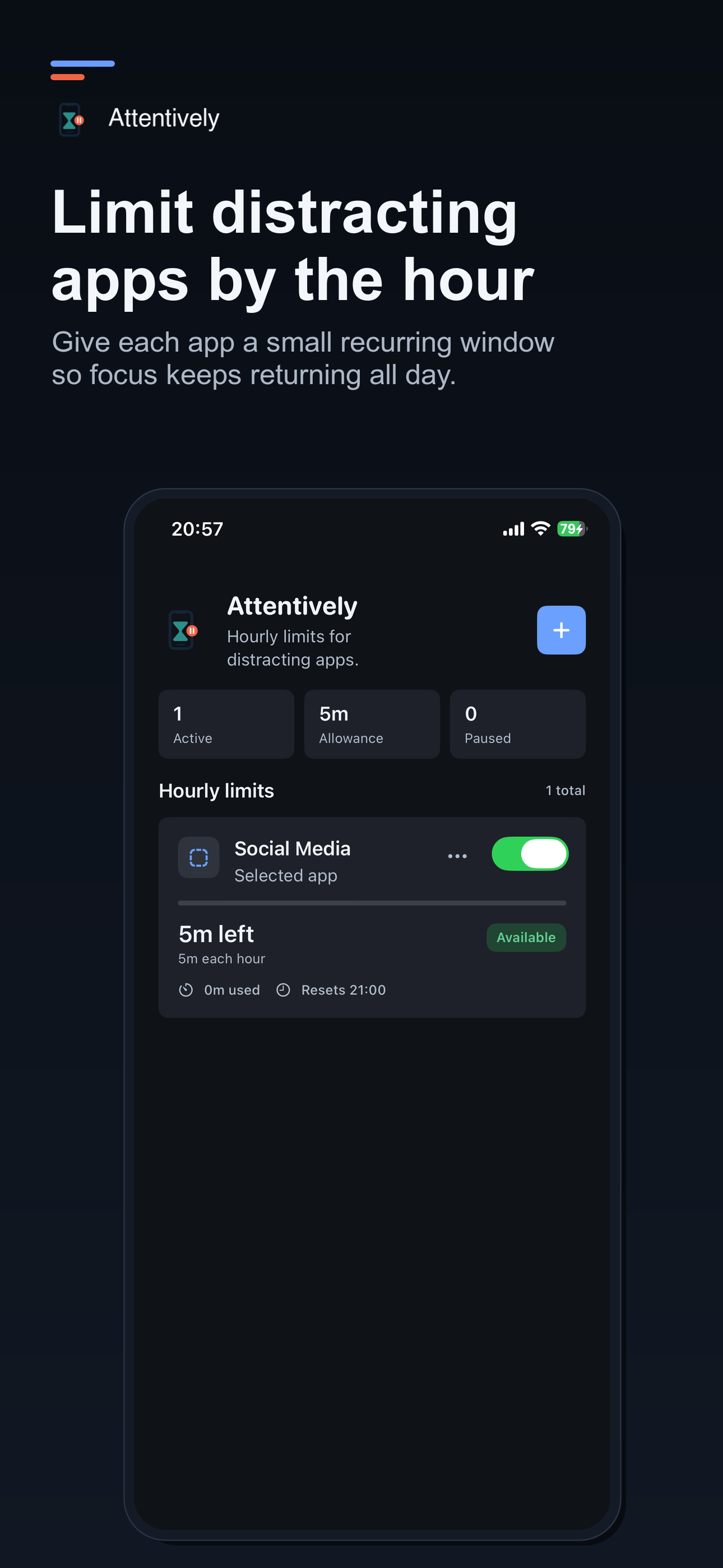
Attentively uses Apple's Screen Time app picker, so you select the exact apps or categories you want to limit. Set the minutes allowed each hour, turn the rule on, and continue using your iPhone normally.
When the hourly allowance is reached, iOS shields the selected app until the next reset. You can pause a rule, adjust the allowance, or remove it whenever your day changes.
Private by design
Attentively is built for self-control, not surveillance. Rules and coarse hourly state stay on your device, and the app does not need a backend account to enforce local screen time limits.
That makes the app simple to start and simple to leave. If you delete Attentively, app-local data is removed with it.
Simple control surface
The app keeps the daily view quiet: active rules, remaining time, reset time, and current state.